
Legal
Nov 14, 2026 • 9 min read
AI for personal injury law firms

Sourabh Purbia · CEO & Co-Founder, Creative Upaay
Last updated Feb 16, 2027
AI for personal injury law firms is useful in two places. One is drafting: first versions of demand letters, medical chronologies and client updates. The other gets less attention and usually matters more: operations. In a volume practice, money leaks through intake that stalls, records nobody chases, insurers nobody follows up and deadlines that live in someone's head.
Most "best AI tools" lists compare drafting products. This guide works through a case stage by stage, says what AI can and can't do at each one, and ends with a checklist you can hold your own firm against.
This article is general information, not legal advice.
AI for personal injury law firms: how firms are using it today
Personal injury firms mostly use AI for drafting and summarizing: demand letters, medical record summaries, chronologies and client emails. Fewer use it for operations such as intake triage, follow-ups and deadline checks. Adoption is growing but uneven, and accuracy is still the main worry lawyers report.
The ABA's 2024 Legal Technology Survey Report found that 30% of responding lawyers used AI tools, rising to 46% at firms with 100 or more attorneys and falling to 18% among solo practitioners, according to the ABA Journal's report on the survey (March 2025). About three-quarters of respondents said concern about AI hallucinations had made them hesitate.
Owners tend to be comfortable letting a tool summarize medical records that a person then checks, and much less comfortable letting software write to an insurer unsupervised. Both instincts are right, and a good setup is built around them.
PI suits AI better than most practice areas for a plain reason: the work repeats. The same intake questions, the same records requests, the same chase letters to the same claims handlers, across hundreds of matters. Repetition is where software earns its keep.
Personal injury intake: what AI can automate
AI can run the intake questionnaire, pull key facts from what the client sends, flag whether the matter fits your criteria, request missing documents and prepare a conflict check. A lawyer should still decide whether to take the case, confirm the facts and own the advice given to the client.
A good intake flow asks the questions in order: date and place of the accident, injuries, treatment so far, insurance details, prior claims, and whether anyone has already given a statement. An AI layer can read a police report or a hospital discharge note the client uploads, fill the matching fields and point out what's missing.
Qualification is where firms get the most back. If your rules say you don't take matters outside a certain region or below a certain injury threshold, software can apply those rules the same way every time and route borderline cases to a lawyer. The lawyer sees a short summary instead of a 20-minute phone note.
Document requests are the next win. Once the matter is accepted, the system can send the client a list of what's needed through a secure upload link and remind them until it arrives. The conflict check should be automatic too, with a person signing it off, because a missed conflict lands on the lawyer.
Can AI write a demand letter?
Yes, as a first draft. AI can assemble a demand letter from verified facts: the accident, injuries, treatment, medical costs and lost earnings already confirmed on the file. A lawyer must check every figure, date and claim before it goes out, because a confident error in a demand letter can cost the client money.
The order matters. Facts first, then the draft. If the AI is asked to write the letter from a loose description, it will fill gaps with plausible guesses, and plausible guesses are the problem. When it drafts from records the firm has already verified, the lawyer's review becomes a check against the file rather than a rewrite.
What AI won't do well is the judgment in the letter: the number you open with, how hard to push on liability, what to hold back. That comes from experience with the insurer and the local courts. The same logic applies to a letter of claim in England and Wales or to correspondence with a statutory insurer elsewhere: use AI for the assembly, keep the strategy with the lawyer.
We cover the general rules on lawyers using these tools in can lawyers use ChatGPT.
Personal injury case management software vs a system built for your firm
Personal injury case management software is enough when your process fits how the product works and your team actually uses it. A system built for your firm makes sense when the gaps between tools cost more: records chased by hand, deadlines tracked in spreadsheets, and email that never reaches the matter file.
Most firms start with a practice management suite, and they should. It holds contacts, matters, documents and billing in one place. If your firm runs a few dozen matters and a single intake channel, a suite plus disciplined use will cover most of what you need.
The picture changes at volume. A firm with hundreds of open matters usually has the suite, an email system, a calendar, a spreadsheet of limitation dates someone maintains, and a shared inbox. Each tool works. The leak is in the handoffs: an insurer's email that never gets filed to the matter, a reminder set in one person's calendar, a follow-up that depends on someone remembering.
A custom system sits across those tools rather than replacing them. It reads the inbox, the matter records and the calendar, applies the firm's own rules, and puts the next action in front of the right person. Our post on off-the-shelf vs custom AI sets out how to decide, and our guide to law firm automation covers where to start.
A personal injury case management checklist: what to automate at each stage
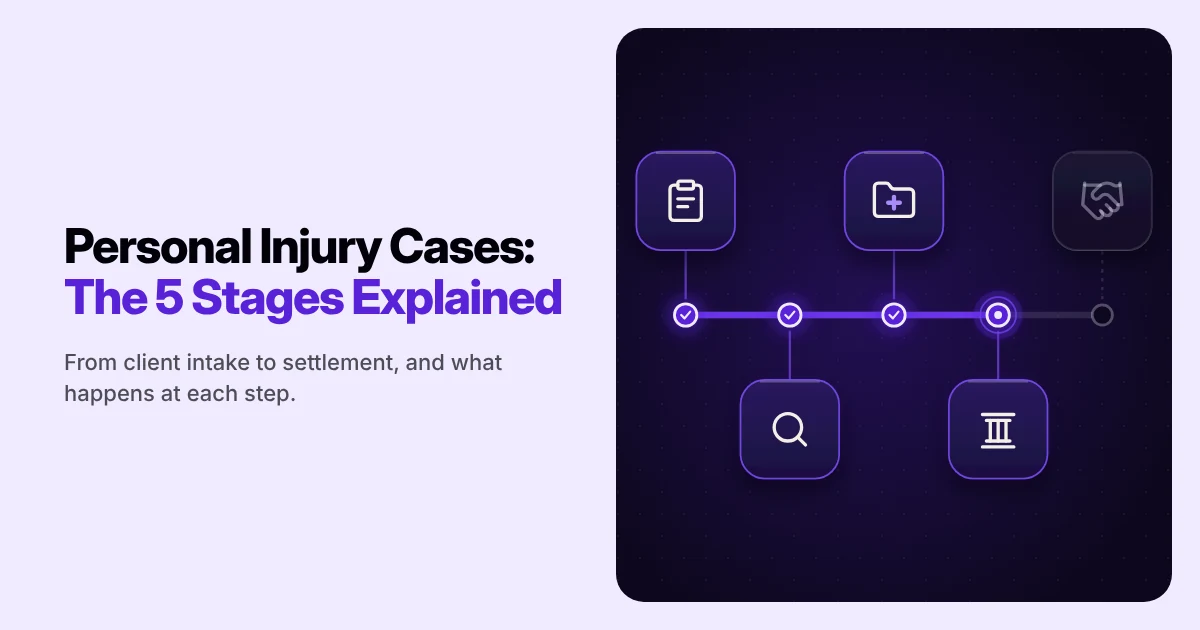
A personal injury case moves through five stages: intake, investigation, filing, litigation and settlement. At each one, some tasks follow fixed rules and should be automated outright, some suit an AI first draft, and all of them need a named person who checks. The table below sets that out.
Stage | Task | Rules or AI | Who checks |
|---|---|---|---|
Intake | Questionnaire, qualification against firm criteria, conflict check | Rules for qualification and conflicts; AI to extract facts from uploads | Intake lawyer |
Intake | Engagement documents and document requests | Rules, sent through a secure upload link | Paralegal |
Investigation | Medical and police records requests, with chasers until they arrive | Rules for the cadence; AI drafts the chase letters | Paralegal |
Investigation | Medical chronology from records received | AI draft | Fee earner |
Filing | Limitation date and other filing deadlines | Rules only, never an AI estimate | Supervising lawyer |
Litigation | Court dates, summons and appeal deadlines, inactive-matter alerts | Rules | Supervising lawyer |
Litigation | Correspondence to insurers and claims handlers | AI drafts, held in a review queue | Fee earner |
Settlement | Demand letter or offer response from verified figures | AI first draft | Partner |
All stages | Time recording and matter status for the director | Rules (automatic timer and dashboard) | Director |
One rule we hold to: deadlines are calculated by logic a lawyer has checked, never estimated by a language model. Our guide to limitation deadline tracking explains how to set that up.
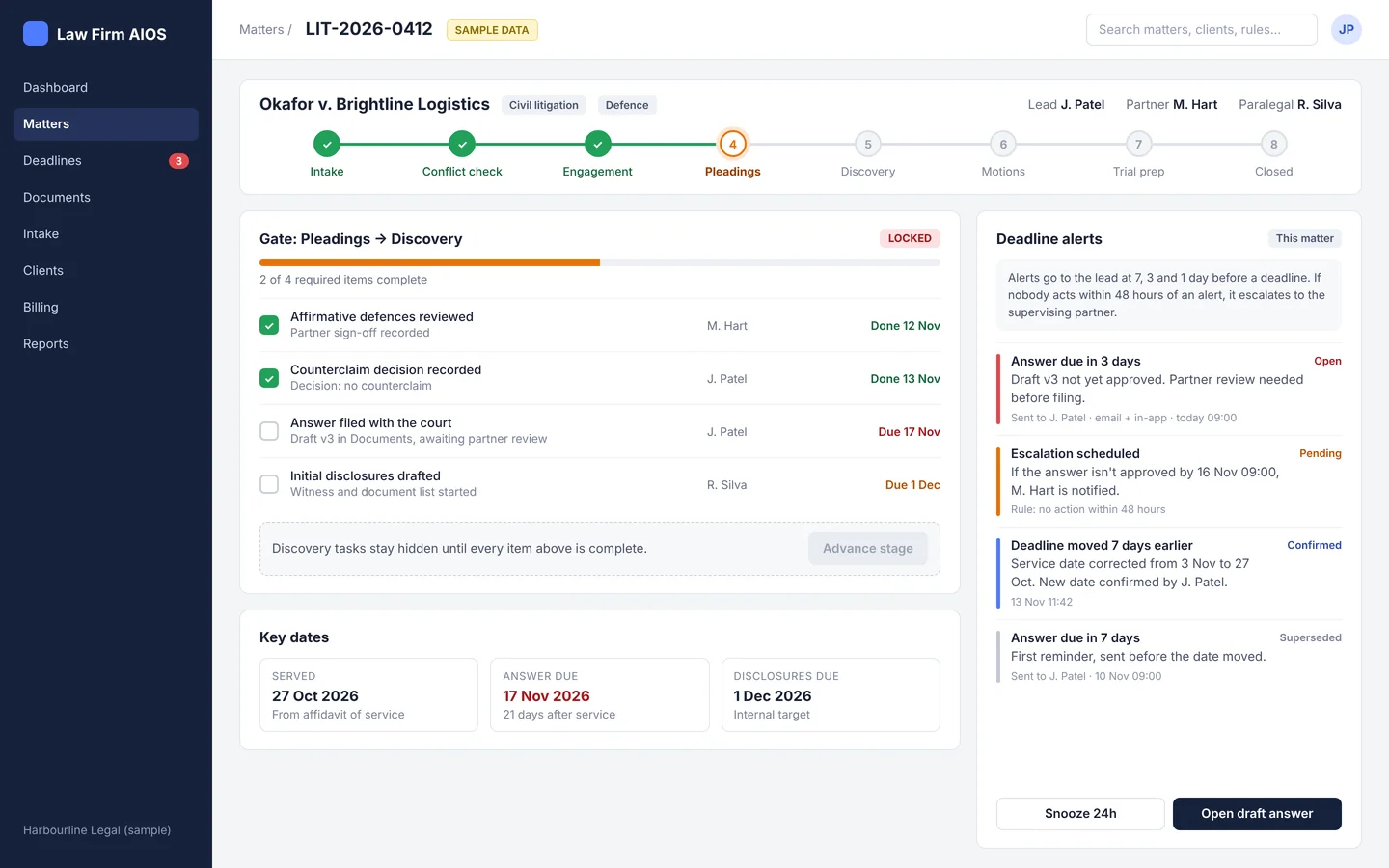
Example: We built Legal AIOS for a South African personal-injury practice handling Road Accident Fund claims. It runs 24+ automatic deadline checks, covering limitation, summons and appeal deadlines, minors reaching majority and inactive matters. Matters are stage-gated through Intake, Investigation, Filing, Litigation and Settlement. Email is matched to matters behind a privacy gate, follow-ups to claims handlers go out on a set cadence through a lawyer review queue, and fee earners have a built-in timer. It works in three languages. The practice reports 100% deadline compliance and 70%+ of admin drafting saved. More detail is in our legal case study.
Which AI tools does a PI firm actually need?
Start with three questions. What is costly when missed? What repeats every week? What follows fixed rules? A tool that answers the first question usually earns its place before any drafting tool does. For most PI firms, that means deadlines and follow-ups first, then intake, then drafting. The same order holds in most businesses that run on documents, deadlines and follow-ups.
What's costly when missed is usually a limitation date, a court deadline or a settlement offer that lapses. These deserve automation before anything else because one miss can outweigh a year of saved drafting time.
What repeats weekly is chasing: records from hospitals, responses from insurers, documents from clients. If your paralegals spend Monday sending the same follow-ups they sent last Monday, that work is a candidate.
What's rule-based can be automated with confidence. Qualification criteria, deadline calculations and follow-up cadences follow rules your firm already has. AI is better for the parts that need reading and writing: summarizing records, drafting letters, matching an email to the right matter.
Ask any vendor, us included, which of these three it handles and how a lawyer checks the output. If the answer is vague, keep looking.
Risks to manage: confidentiality, made-up facts, supervision
The three main risks are exposing client information to a tool that doesn't protect it, relying on facts or citations the AI made up, and letting staff use AI without supervision. Regulators in the US, UK and South Africa all hold the lawyer responsible, whichever tool produced the error.
In the US, ABA Formal Opinion 512 (July 29, 2024) applies the existing duties of competence, confidentiality, communication, candor, supervision and reasonable fees to generative AI. It says informed consent is needed before client information goes into a self-learning tool, and that managing lawyers must set clear policies on its use.
In England and Wales, the SRA's Risk Outlook report on AI (November 20, 2023) warns that AI can produce "highly plausible but incorrect results", that firms remain accountable for its output, and that they need to protect confidentiality and privilege.
In South Africa, courts have referred lawyers to the Legal Practice Council over fictitious citations. In Mavundla v MEC: Department of Co-operative Government and Traditional Affairs KwaZulu-Natal (January 2025), the High Court in Pietermaritzburg directed that its judgment be sent to the Legal Practice Council after cases cited to it could not be found.
For a PI firm, the practical answer is the same in all three places. Keep client data in tools the firm controls. Make the AI work from verified records. Put a named lawyer's review between any AI draft and the outside world.
// FAQs \\
FAQ
The best AI for a personal injury firm is the one that covers what's costly when missed: deadlines, follow-ups and intake. Drafting tools help, but a firm that misses a limitation date gains little from faster letters. Choose by your firm's gaps rather than by feature lists.
Yes, as a first draft built from facts the firm has verified: injuries, treatment, costs and lost earnings. A lawyer must check every figure and claim and decide the strategy, including the opening number. Never send an AI-drafted demand letter unchecked.
Only in tools the firm controls, with the client's consent where required. Health data has extra legal protection: it is special category data under the UK GDPR and "special personal information" under South Africa's Protection of Personal Information Act. US firms should confirm which federal and state rules apply to them. Don't paste records into consumer chat tools.
It should run a structured questionnaire, extract facts from documents the client uploads, apply your firm's qualification rules, request missing documents through a secure link, and prepare a conflict check. A lawyer should make the final decision to accept the case.
No. AI takes over the repetitive parts of a paralegal's week, such as chase letters, records requests and first-draft summaries. Paralegals still check what the AI produces, speak to clients, spot what doesn't add up in a file and keep matters moving. The role shifts toward review and client contact.
Run a personal-injury practice? Book a 1-week audit of your intake-to-settlement process
Talk to us →About the author
Sourabh Purbia, CEO & Co-Founder, Creative Upaay
Sourabh Purbia co-founded Creative Upaay in 2019 and leads it as CEO. The company builds custom AI for businesses that run on documents, deadlines and follow-ups, and has delivered 350+ projects for 85+ clients worldwide, from a personal-injury law practice in South Africa to coaching institutes in India.
LinkedIn →